Most release notes fall short because teams tend to write them at the end of the development cycle, when details have faded and the important background information – the reasoning, decisions, and discussions that shaped the work – is buried in tickets, threads, and side conversations. By the time someone sits down to write, the people closest to the work have often already moved on.
Without a clear release notes workflow to capture information earlier and guide who contributes what, updates become rushed or incomplete. A simple, repeatable workflow keeps the right input flowing at the right time and gives users, admins, and internal teams a clear understanding of what changed and why it matters.
This article breaks down the practical steps of building a release notes workflow that works for SaaS teams of any size. If you’d like the context for how different audiences interpret release notes, the previous article, Writing Release Notes for Different Audiences, covers this in detail.
A release notes workflow keeps the right input flowing at the right time, so updates never rely on memory or last-minute rewrites.
Why release notes fall apart without a workflow
Teams rarely set out to write poor release notes. It usually happens gradually, as small gaps in process turn into bigger gaps in clarity.
Here’s an example of what happens when there’s no workflow, a feature ships on Friday, everyone feels relieved, and only then does someone remember the release notes. The PM tries to reconstruct details from scattered tickets and Slack threads, engineering has already moved on, and support hears about the update only after users start asking questions.
Here are some of the most common issues teams run into:
- Writing starts at the moment the feature ships.
- Content is scattered across Jira tickets, Slack threads, and engineering updates.
- No one knows who should add what.
- Tone varies wildly from one release to the next.
Release notes become an afterthought, and users notice the gaps whether through confusion, missed details, or uncertainty about what actually changed.
A workflow solves this by giving every update the same predictable path, from idea to published note.
The Release Notes Workflow
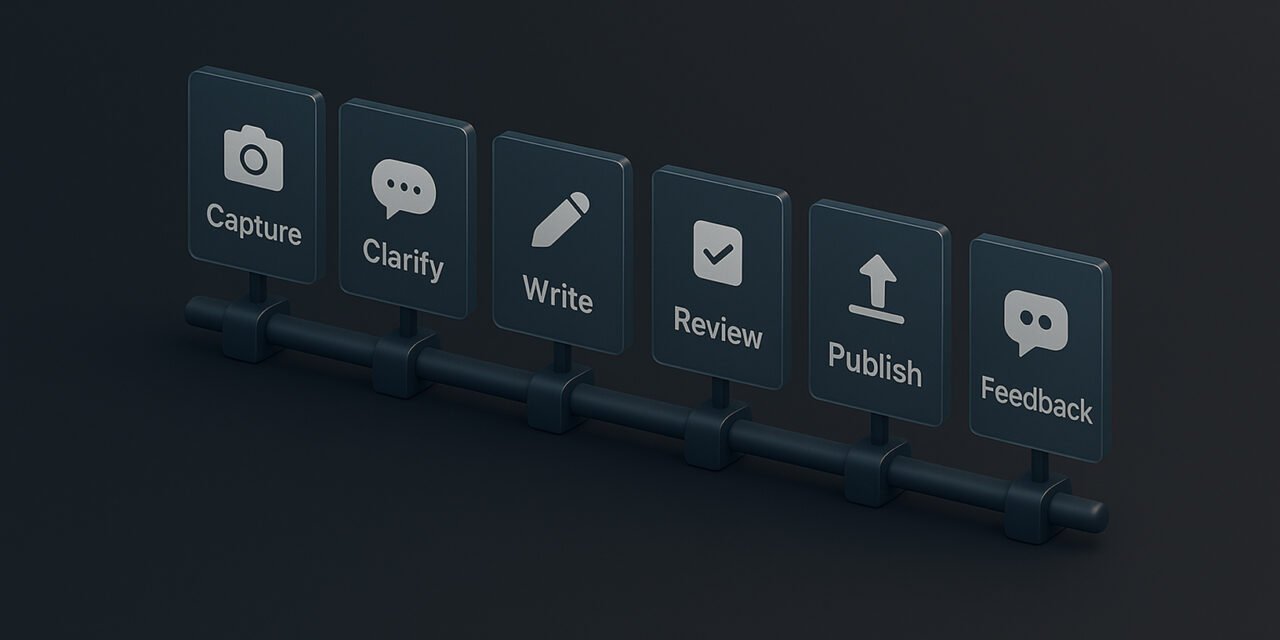
Across SaaS teams of all sizes, the strongest workflows share the same six stages. They’re simple enough to use on a regular release cycle, but structured enough to scale.
Capture → Clarify → Write → Review → Publish → Feedback and Insight
Here’s what each stage means at a basic level. These descriptions connect directly to the six stages above, helping the workflow feel practical rather than abstract:
- Capture: Record the core context early so nothing important gets lost.
- Clarify: Add technical accuracy while details are still fresh.
- Write: Shape the message for each audience using clear, user‑focused language.
- Review: Get reviews and approval from engineering and Support/CS to confirm accuracy and clarity.
- Publish: Release the note alongside the feature so teams and users stay in sync.
- Feedback and Insight: Collect feedback and use it to improve the next release note.
Each step does one job, and together they form a release notes workflow that prevents the 11th‑hour scramble that often appears as teams rush to finalise things at the end of a cycle.
1. Capture: Start early, stay organised
A strong release notes workflow starts long before writing, and at the moment a feature enters development, the PM captures three things:
- What’s changing: A clear, concise description of the update or feature being introduced.
- Why it matters: The underlying reason for the change and the value it delivers to users or the business.
- Who it affects: The specific user groups, roles, or teams impacted by the change, and in what way.
This is a short, informal note rather than a draft or a polished explanation. It simply captures the essential information behind the change, including the decisions made, the rationale, and the intended impact.
2. Clarify: Add technical accuracy while the details are still clear
Once the feature hits a stable point, engineering adds:
- Technical details: A simple explanation of what was built or changed, written so the PM or writer can understand it without digging through code or hunting through the user interface.
- Constraints: Any known limitations or things the feature can and cannot do, explained in plain language rather than deep technical terms.
- Edge cases: Situations where the feature behaves differently than expected, described clearly so the writer knows what to mention or avoid.
- Setup or migration notes: Any steps users or admins may need to take, explained simply so the release notes can guide them without confusion.
This avoids the classic problem of PMs trying to remember conversations from weeks ago.
Engineers don’t write the release note. They provide the detailed points the writer needs to explain the change clearly.
3. Write: Shape the message for each audience
Now the writing begins.
Using the Audience First Approach from the previous article, the owner (usually the PM or a content specialist) creates short, clear versions tailored for each group:
- Users
- Admins
- Internal teams
One update, written through the lens of each audience, so every group gets the information and explanation that makes sense for how they use the product.
4. Review: Quick checks, not endless edits
A workflow keeps review lean by giving reviewers exactly what they need and nothing they don’t. The goal isn’t to rewrite the release note from scratch, but to make sure the information is accurate, clear, and ready for users.
Here’s what that means in practice:
- Engineering checks the technical details, confirms the behaviour of the feature, and flags anything that isn’t quite right. They focus on technical correctness and whether the feature behaves as expected, not details such as tone or word choice.
- Support/CS reviews for clarity, focusing on whether the explanation makes sense to a real user and anticipating the questions or misunderstandings that often come up. They highlight anything that could create confusion or friction, helping ensure the final note is genuinely useful to the people reading it.
Both reviewers provide focused feedback in a single asynchronous pass. This keeps the process efficient and prevents long back‑and‑forth edits.
If a section is unclear, rewrite it so the meaning is obvious. Aim for clarity, not fine‑tuning the language.
5. Publish: Ship the note alongside the feature
Publishing shouldn’t feel like an unexpected final task at the end of the release cycle. It works best when it’s treated as a natural part of the process, prepared well before the feature is ready to ship.
At this point, everyone already knows what’s coming. The note should:
- Be published in your release notes space
- Be shared internally
- Be available to Support/CS immediately, if not well before the release
- Optionally, trigger simple in-app messages or prompts that highlight the update
A release notes workflow turns publishing into a straightforward, predictable step rather than a standalone event, making it easier for teams to stay coordinated and for users to stay informed.
6. Feedback and Insight: Feed learning back into the product
Support and CS can flag recurring questions, misunderstandings, or moments where users got stuck. These insights show what worked well and where the explanation could be improved.
PMs can track adoption, any friction, or early drop‑off to understand how users responded in practice. Together, these perspectives provide a useful picture of how effectively the release note prepared users for the change.
Example workflows for teams of different sizes
Here’s how the six‑step cycle fits real teams. Team size affects workflow because smaller groups can move quickly with minimal handoff, while larger teams need clearer ownership and more structure to stay aligned.
Small teams (5–15 people)
Growing teams (20–30 people)
Scaling teams (35–50 people)
You don’t need a heavy process; what matters is having a clear, repeatable structure that keeps everyone aligned.
Why a workflow builds trust
When updates feel timely, consistent, accurate, and tailored to the right audience, users build trust in the product, admins make decisions faster, and internal teams stay on the same page. A workflow isn’t rigid; it simply gives everyone the clarity and stability needed to support each new release.